# Mint and Trade Generative Artwork on the Genify Platform

Go to Genify: <https://genify.xyz/>

<figure><img src="https://3763361919-files.gitbook.io/~/files/v0/b/gitbook-x-prod.appspot.com/o/spaces%2FUE3ADFNRmhyAmLDGqcwH%2Fuploads%2F9qXDtYPpZgfikaQOZLzU%2Fimage.png?alt=media&#x26;token=238b7b56-866d-49b0-835d-060ba862fddb" alt=""><figcaption></figcaption></figure>

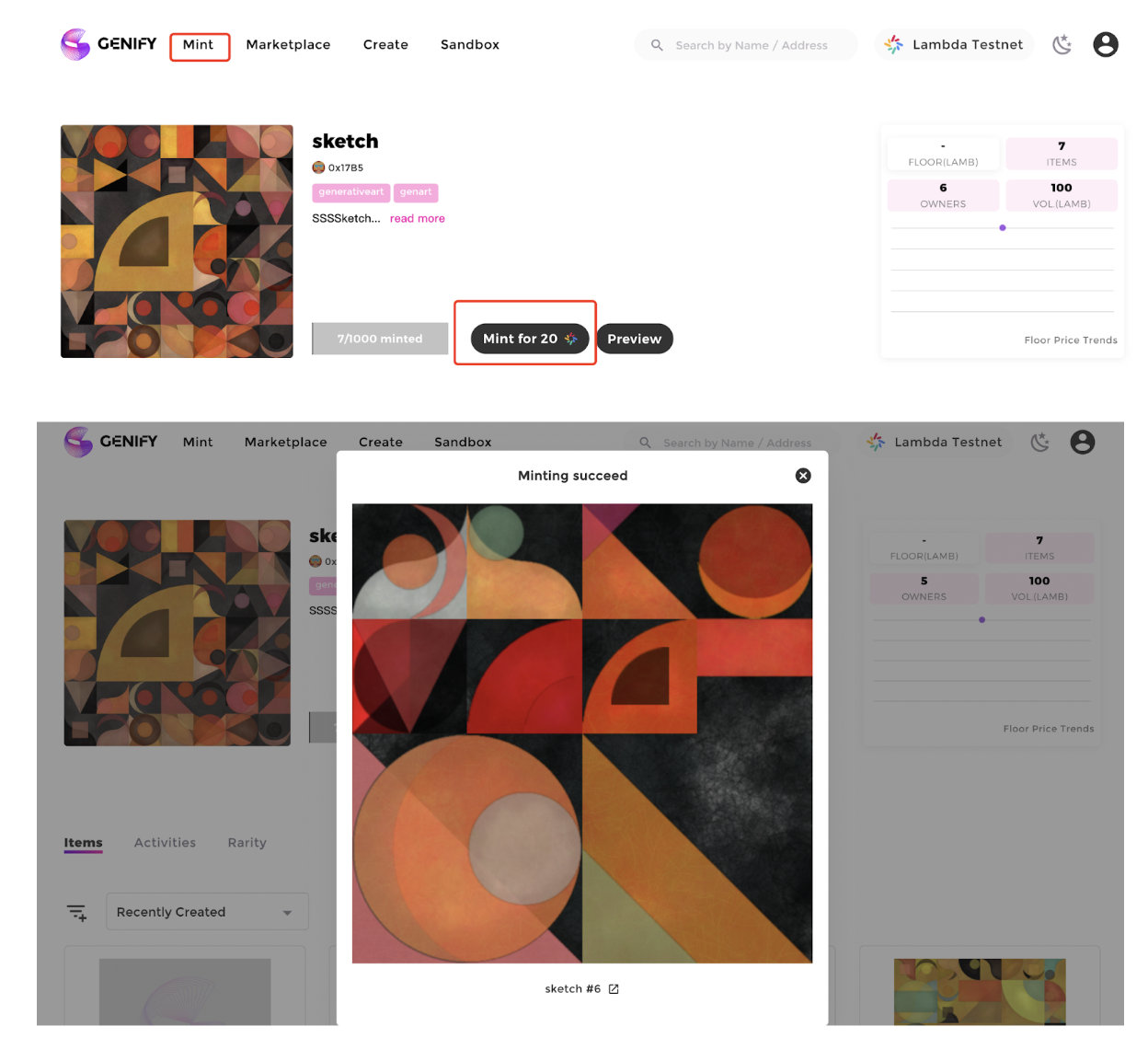
**1.  Mint a piece of generative art**

* Discover Mint-ready artworks posted by artists on the Mint page
* After connecting your wallet, you can use the $LAMB to mint NFT

<figure><img src="https://3763361919-files.gitbook.io/~/files/v0/b/gitbook-x-prod.appspot.com/o/spaces%2FUE3ADFNRmhyAmLDGqcwH%2Fuploads%2FEDLwiJqS3YqxpzpRyInn%2Fimage.png?alt=media&#x26;token=f094e210-68f6-49fb-a87a-90a405a863ff" alt=""><figcaption></figcaption></figure>

2. **Make an Offer on your favorite**

<figure><img src="https://3763361919-files.gitbook.io/~/files/v0/b/gitbook-x-prod.appspot.com/o/spaces%2FUE3ADFNRmhyAmLDGqcwH%2Fuploads%2FERg1eQQQOH8uJ9tJCYYo%2Fimage.png?alt=media&#x26;token=1d98f840-e93c-45e8-a45b-4849c2b0af0a" alt=""><figcaption></figcaption></figure>

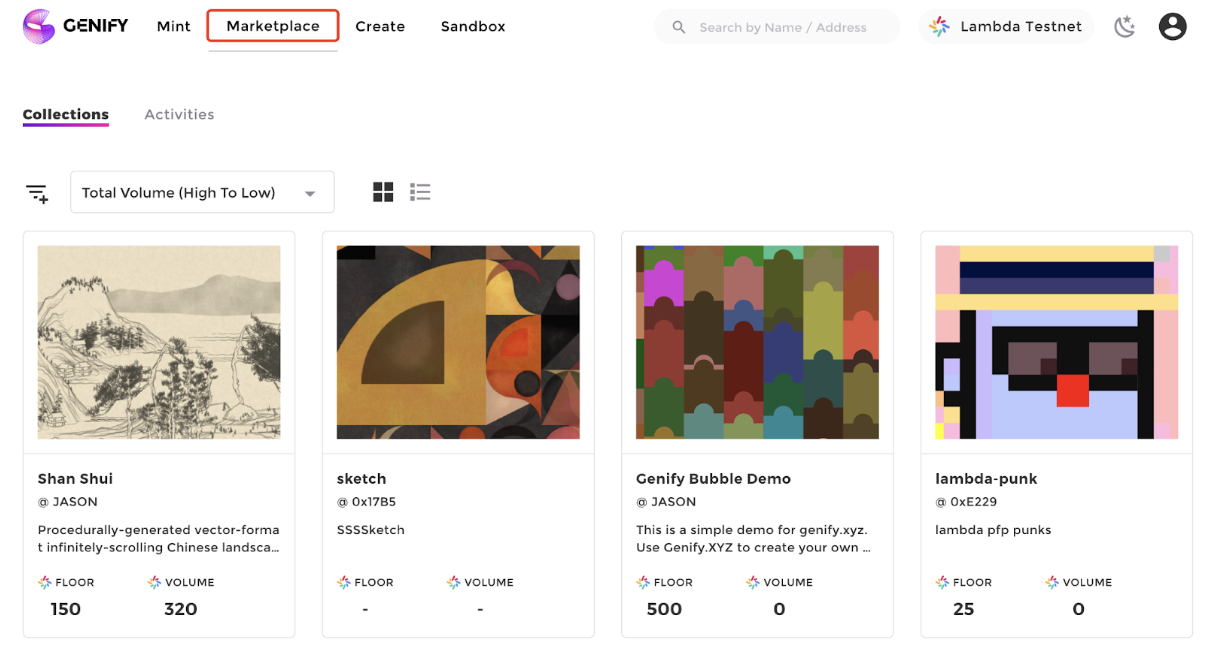
3. **Purchase generative artworks from the secondary market in the Marketplace**

<figure><img src="https://3763361919-files.gitbook.io/~/files/v0/b/gitbook-x-prod.appspot.com/o/spaces%2FUE3ADFNRmhyAmLDGqcwH%2Fuploads%2FMfcEbbqjWK8UJ02r3RqB%2Fimage.png?alt=media&#x26;token=c4f15f5d-ac3a-44c7-bc74-1ca2917a6c55" alt=""><figcaption></figcaption></figure>

#### 4.  Sell your collection

Click the List for sale button to list and sell your art collection<br>

<figure><img src="https://3763361919-files.gitbook.io/~/files/v0/b/gitbook-x-prod.appspot.com/o/spaces%2FUE3ADFNRmhyAmLDGqcwH%2Fuploads%2Fvew2kfH1dcDjXwh5nQXV%2Fimage.png?alt=media&#x26;token=5679a055-c5aa-4f60-8aad-712d0bbc8674" alt=""><figcaption></figcaption></figure>

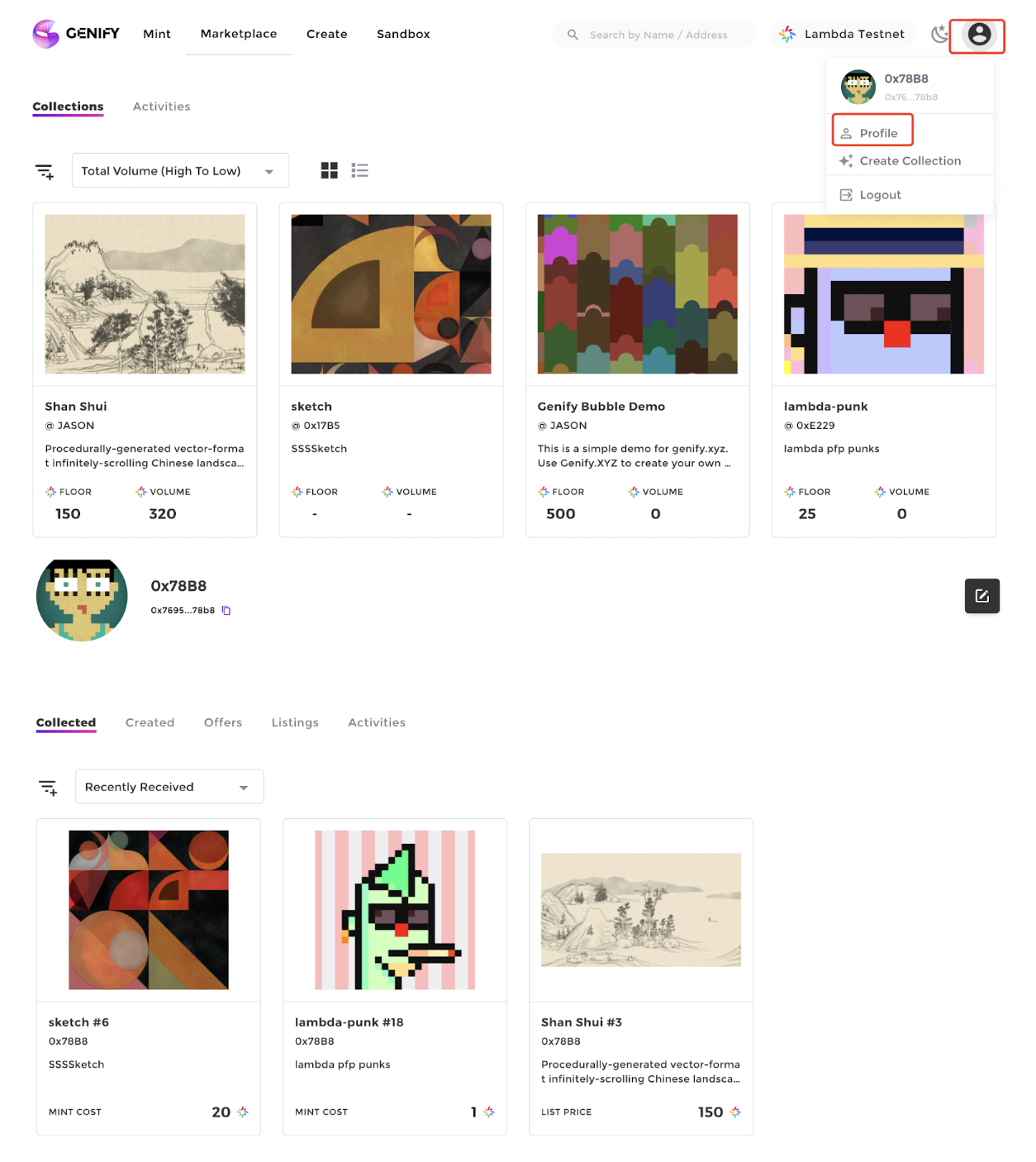
5. **View your collection in Profile**

<figure><img src="https://3763361919-files.gitbook.io/~/files/v0/b/gitbook-x-prod.appspot.com/o/spaces%2FUE3ADFNRmhyAmLDGqcwH%2Fuploads%2FGS6fX3imMcBNYz8p2LiF%2Fimage.png?alt=media&#x26;token=6a5fad64-de64-4ca8-b83f-9e82571e9c5a" alt=""><figcaption></figcaption></figure>